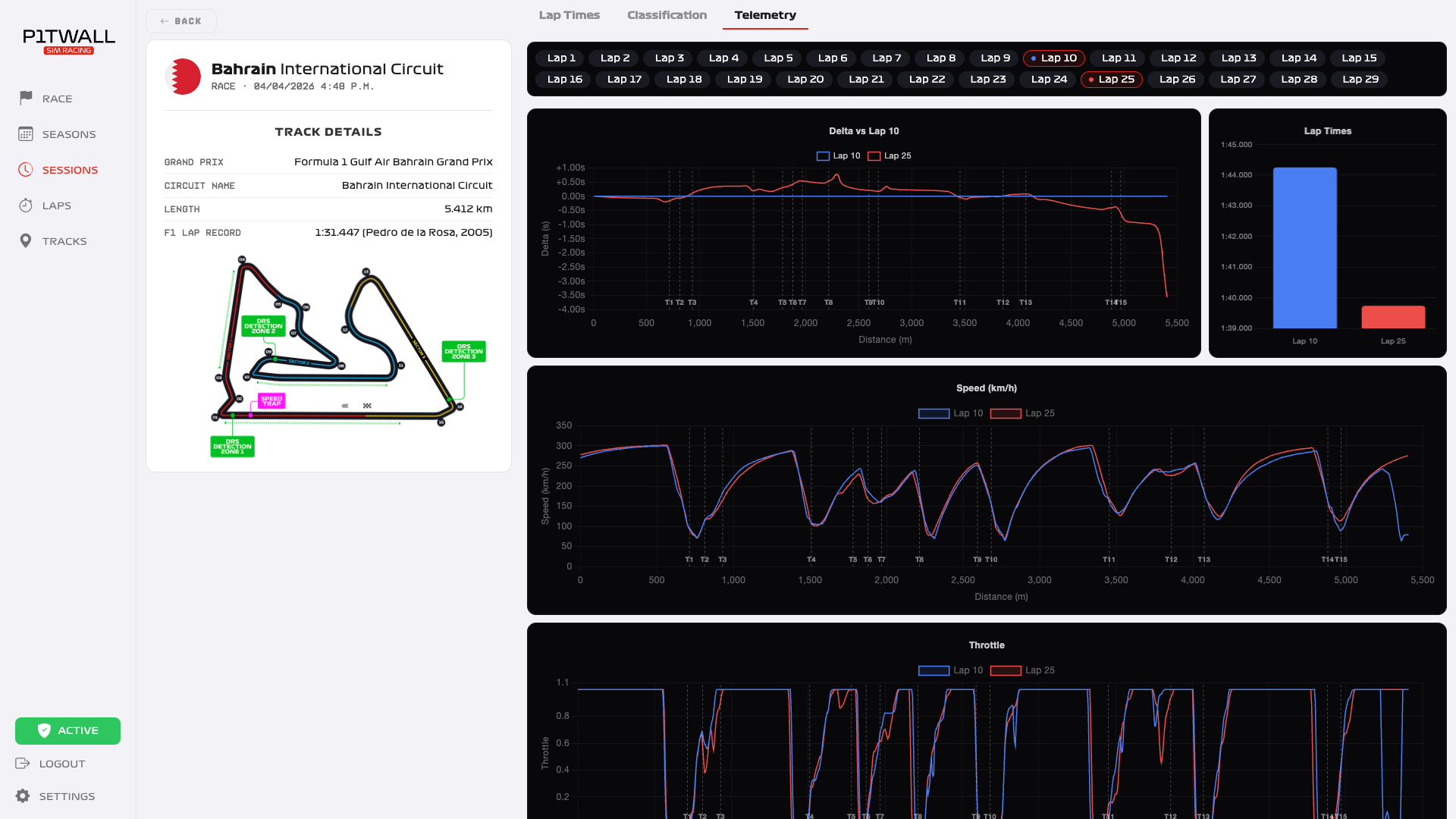
Telemetry for Beginners
If you've never used telemetry before, this guide will show you where to start.
What is Telemetry?
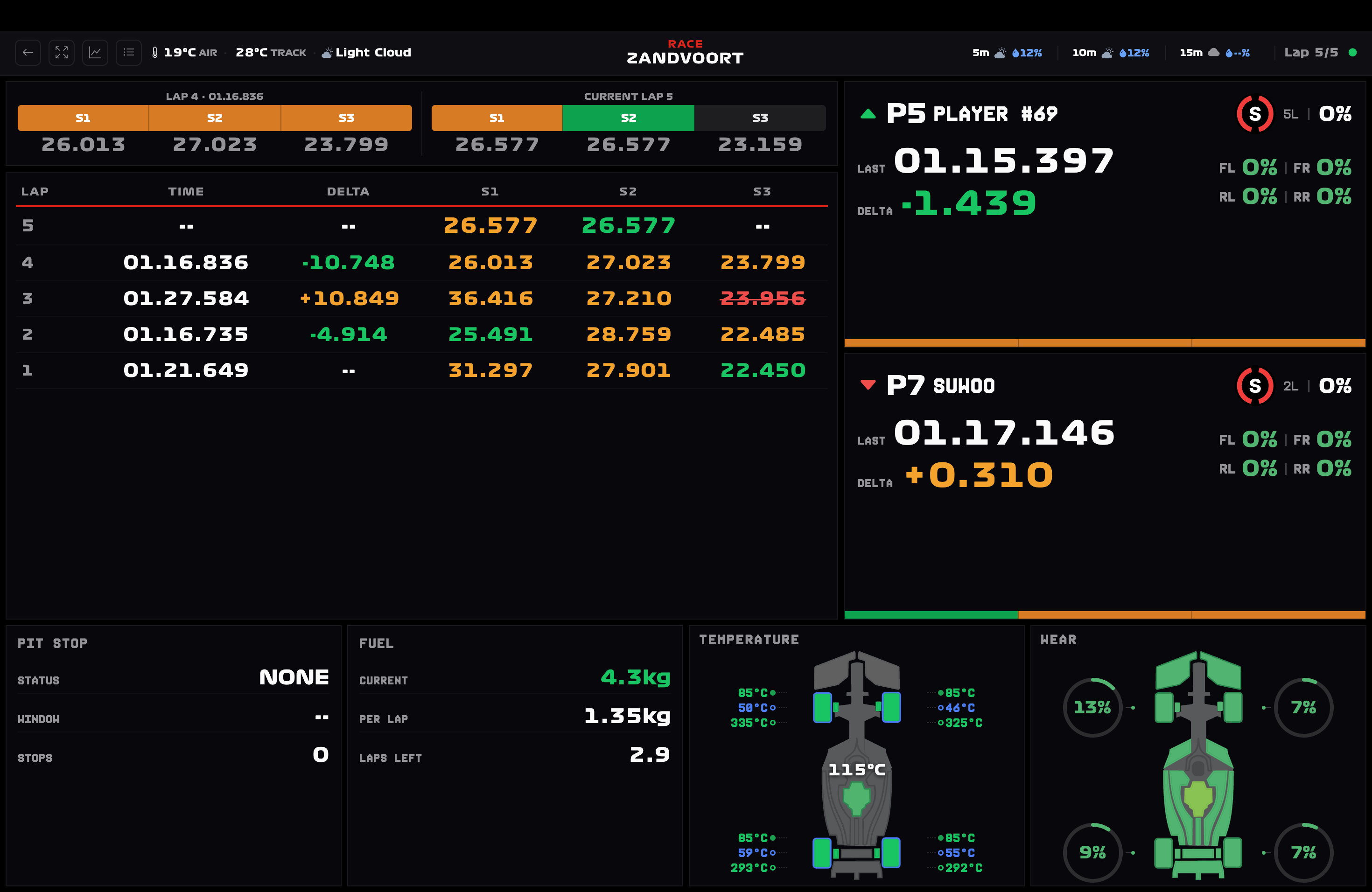
Telemetry is the real-time collection of data from your car during a session. It includes:
- Speed at every point on the track.
- Throttle and brake inputs.
- Gears used.
- Tire temperatures.
- Component wear.
Why Use It?
Without telemetry, you're guessing where you're losing time. With data, you know exactly where to improve.
How to Get Started
- Install Pit Wall Sim Racing on your PC.
- Enable UDP in the F1 25 settings.
- Race normally – data is captured automatically.
- Analyze your laps in the dashboard.
What to Analyze First
Start by comparing your best lap with an average lap:
- Where do you brake earlier?
- Where do you lose speed on corner exit?
- Where do you shift gears at the wrong time?
Conclusion
Telemetry isn't just for professionals. Any player can use data to evolve faster.